Momentide icon
EVENT COUNTDOWN

Make the moment count.

Build a beautiful countdown for your next event, then show it to everyone in the room. Set the scene, choose what matters, and let anticipation take over.

Works on your computer No account required Made for live audiences
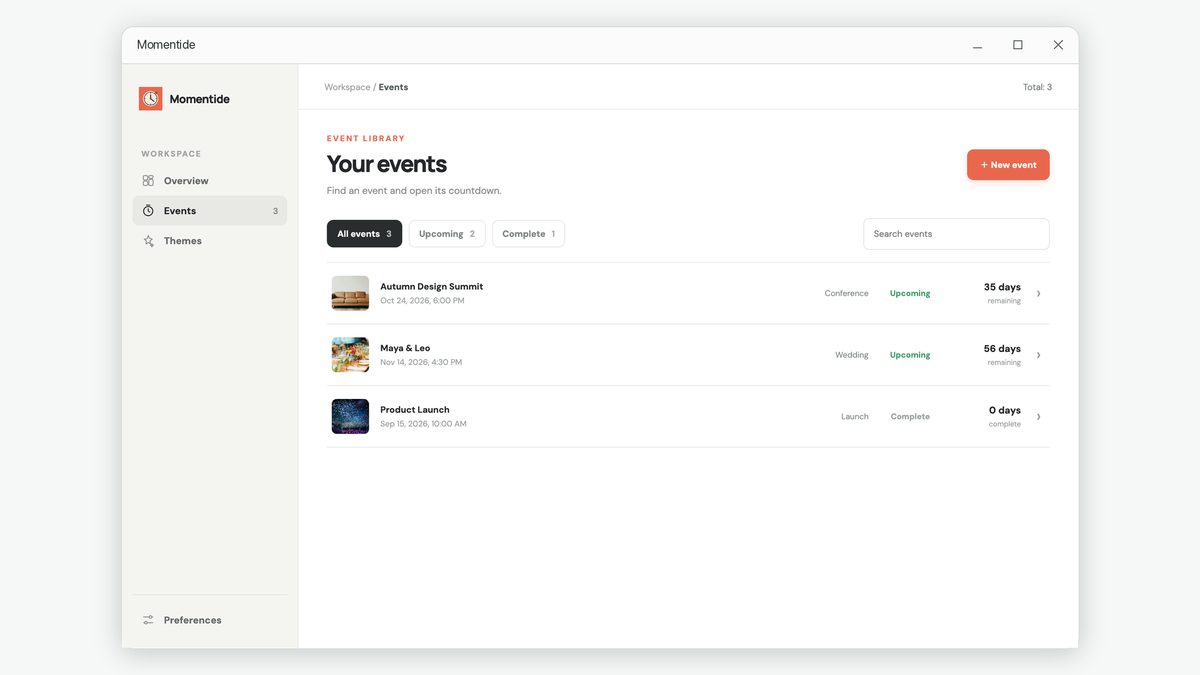
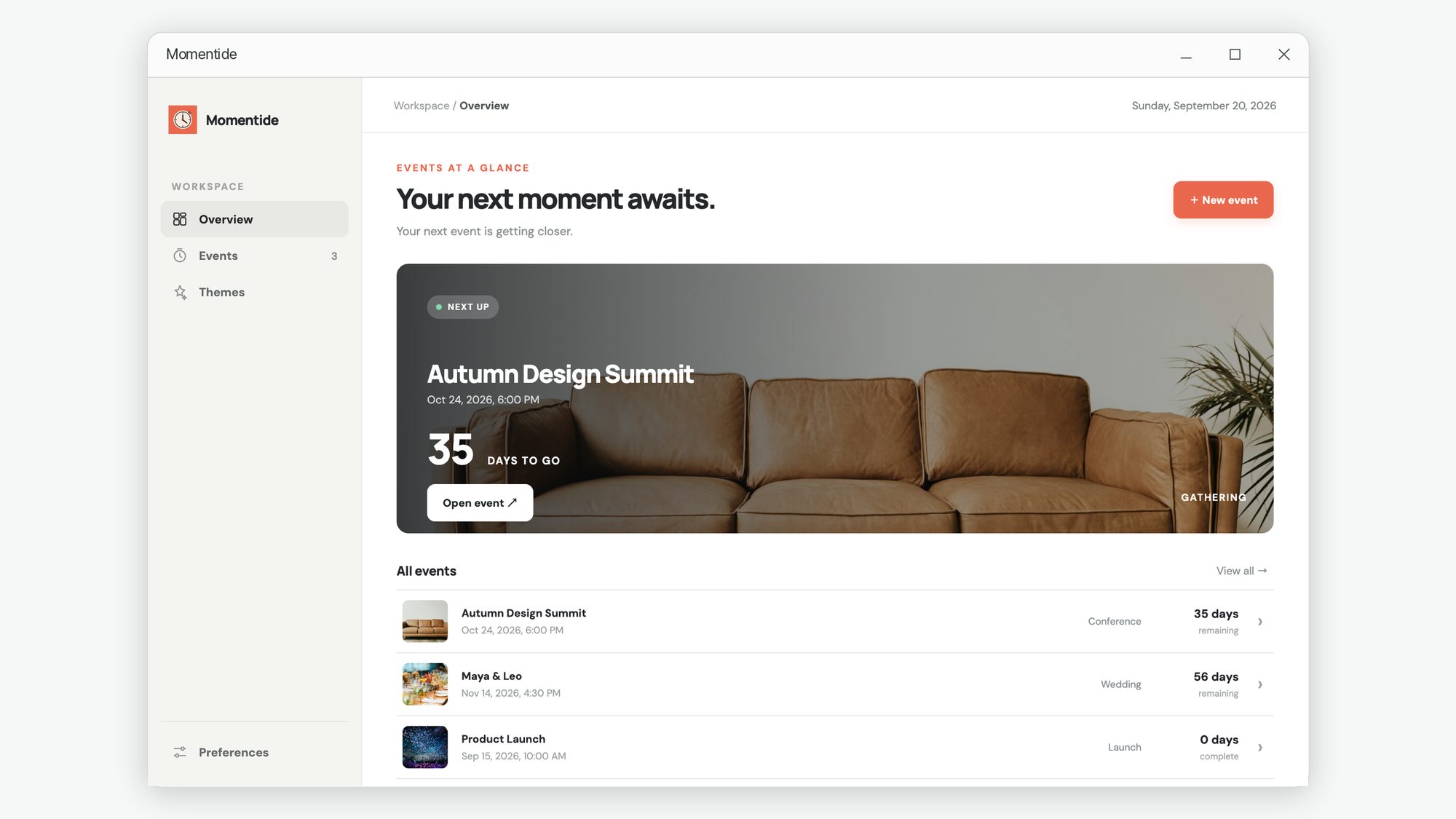
The Momentide overview screen listing upcoming events with a featured countdown.
FEATURES

Ready when the room is.

Everything you need to turn a date into a shared moment.

Live countdown

Display days, hours, minutes and seconds as your event approaches.

Audience display

Open a dedicated display for a second screen or projector.

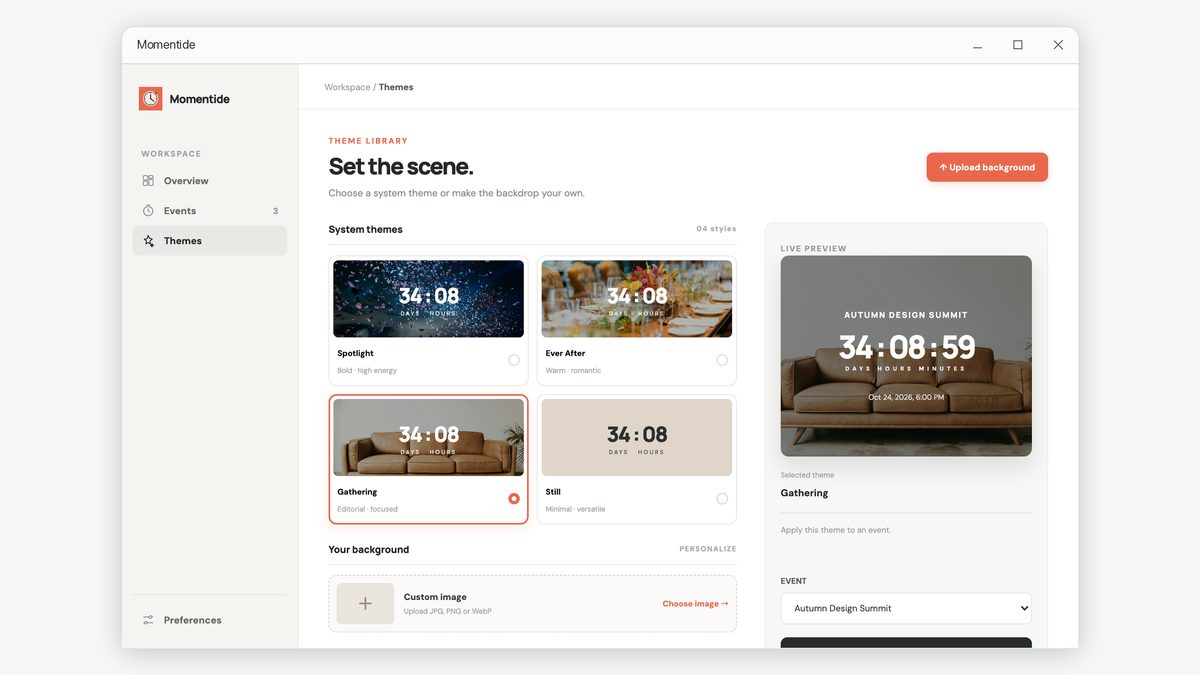
Theme library

Choose a look for launches, gatherings, celebrations and more.

Your backdrop

Add your own photo for a countdown that feels like your event.

Display controls

Pick countdown units, show event details and set the ending message.

Event library

Keep upcoming and completed events together, and find them quickly.

AUDIENCE DISPLAY

Fill the room with the moment.

Send the countdown to a second monitor or projector, and let everyone watch the clock together.
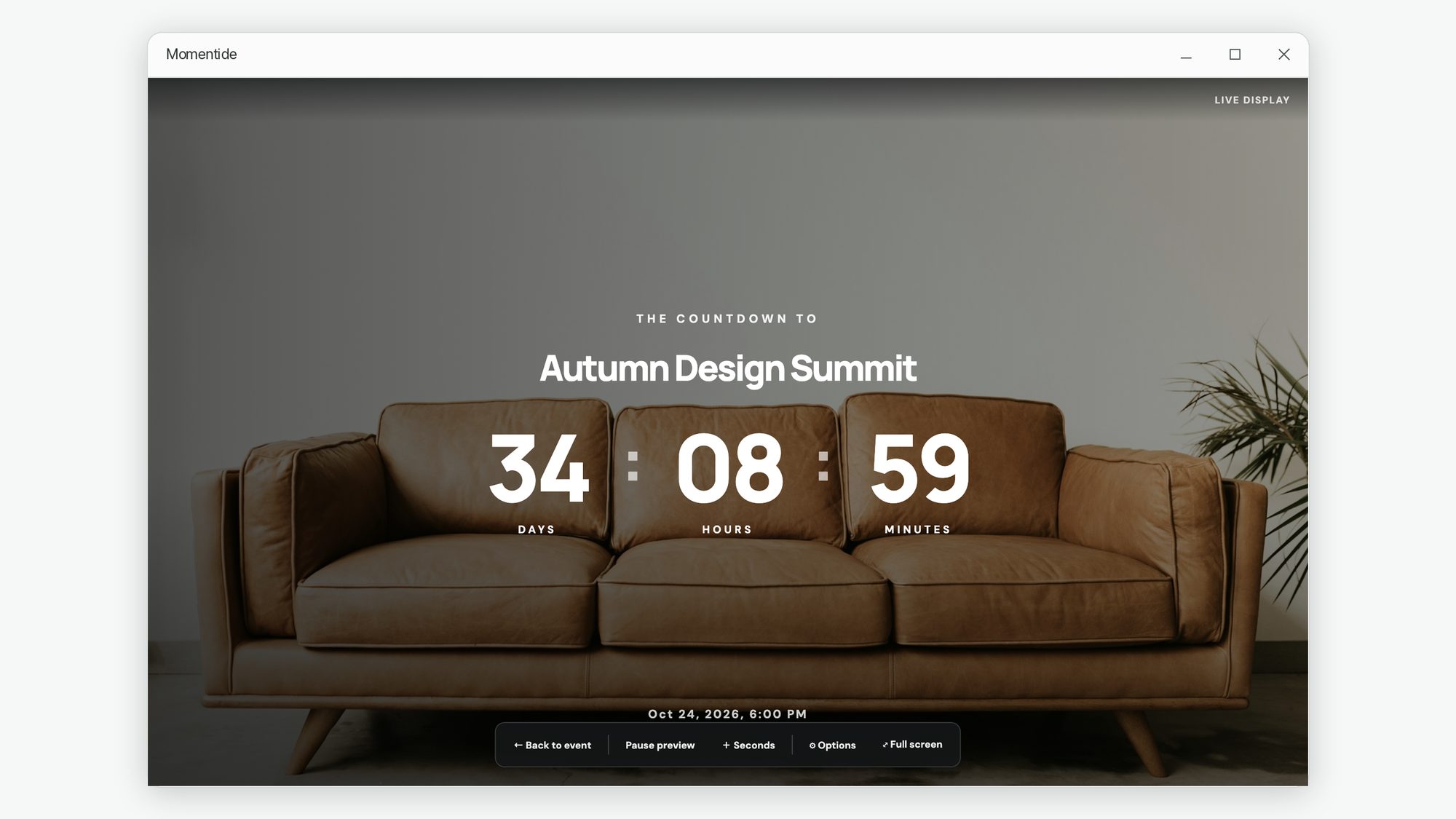
The Momentide audience display showing a large full-screen countdown.
HOW IT WORKS

From idea to countdown in three steps.

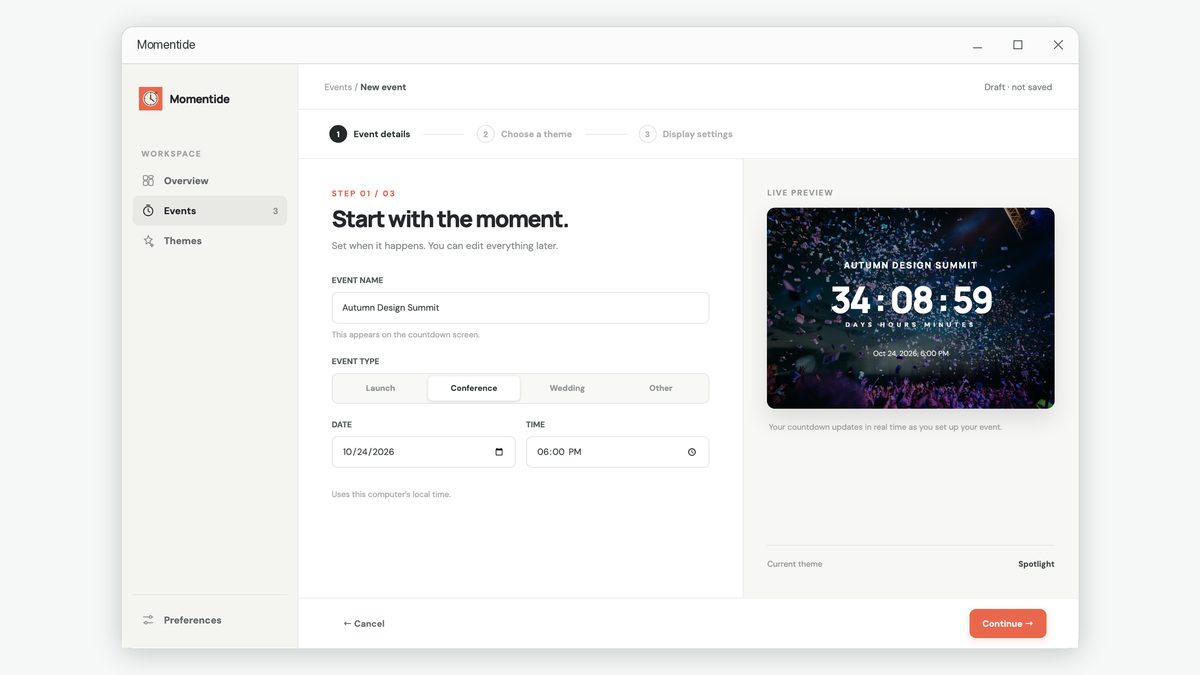
Creating an event and picking its date and time.
01

Set the date

Create your event and choose when it begins.

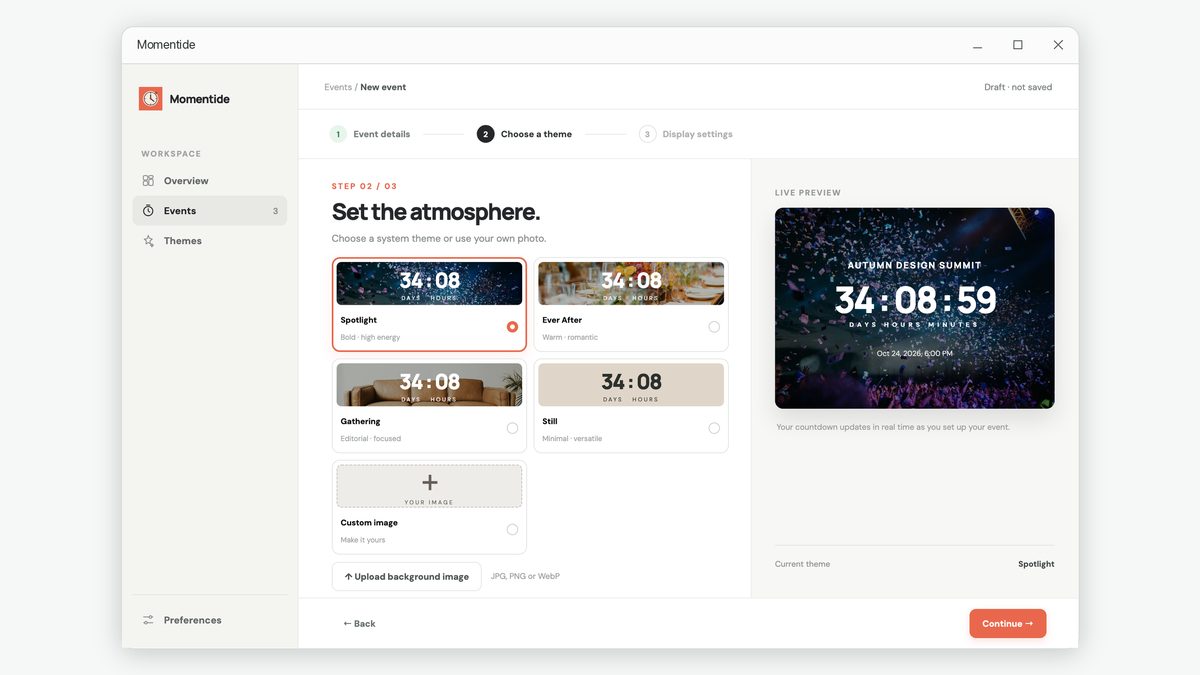
Choosing a theme for the countdown.
02

Make it yours

Choose a theme, backdrop and display options.

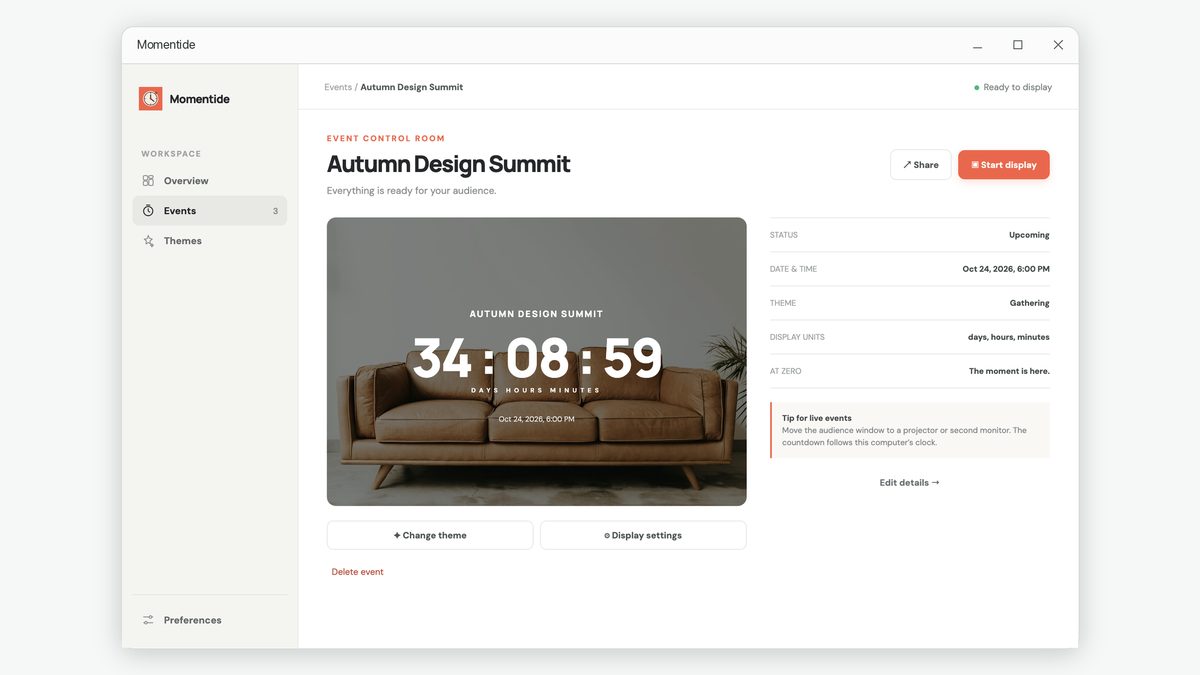
The event screen with controls to open the live display.
03

Show the moment

Open the live display for everyone to see.

FAQ

Good to know.

Does Momentide need an account?

No. You can create and manage events without signing in.

Where are my events stored?

Event details and imported background images are stored on your computer.

Can I show a countdown on a projector?

Yes. Open the audience display and move it to a projector or second monitor.

Does the countdown need an internet connection?

No. The countdown follows your computer's clock.

Can I use my own image?

Yes. Add a JPG, PNG or WebP image as a backdrop.

What happens when the countdown reaches zero?

You can show a custom celebration message or hold the timer at zero.

Can I share an event?

You can copy its details or save a calendar invitation to send yourself.

Which languages are available?

English, Simplified and Traditional Chinese, Japanese, Korean, French, German, Spanish and Italian.

Your next moment awaits.

Create the countdown and bring the room together.

View in Microsoft Store ↗